Speakers & Sponsors
They Fill In Their Own Details
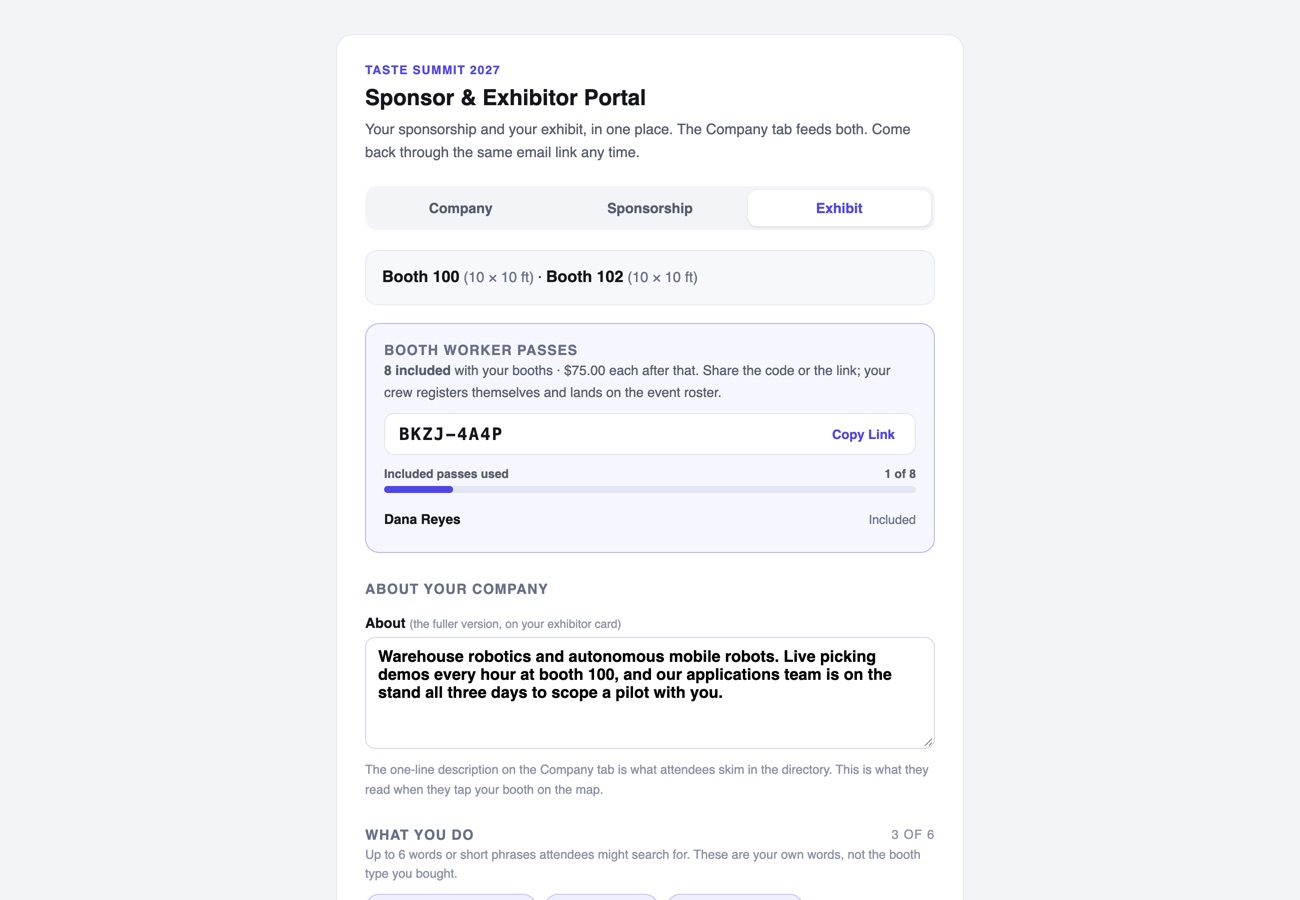
Send a speaker one link and they write their own bio, crop their own headshot and propose their own sessions. Sponsors and exhibitors get a private portal the moment they register, and keep their own logos, blurbs and listings current. You approve with a click and the site updates itself. Nobody gets an account for you to manage.
One Link, No Accounts
Invite a speaker by email and they get their own private link. Coming back later takes a two-word code emailed on request, so there is no password for them to lose or for you to reset.
Open Calls, On Your Terms
Turn on speaker applications and anyone can propose a session. Turn them off and the door closes without touching what already came in.
Headshots That Fit the Grid
They crop their own photo in the browser to the shape your site uses, so the speaker wall lines up without a designer ever opening it.
Approve, Decline, Reconsider
Submissions wait in your queue. Approve and they publish; decline and the record stays with a quiet "not selected" note, so nothing is lost and nobody is emailed by accident.
Sponsors and Exhibitors Get Their Own Portal
Register as a sponsor, pick a sponsorship or buy a booth, and the confirmation email carries a private link. One company page feeds your sponsor wall and your exhibitor directory: logos for light and dark, website, blurb, even where the logo sits in its tile. The level and the approval stay yours.
It Lands on the Site Instantly
An approved speaker appears on the speaker wall and on every session they are attached to, in the event app too, and a sponsor's new logo reaches the sponsor wall the moment they save. Nothing is re-typed on your side.

Speaker self-service and open speaker applications come with every plan. Emailed speaker invitations are part of Per Event and above. The Sponsor & Exhibitor Portal comes with registration.
The Rest of the Studio
Thirteen More Jobs It Does for You
Every one of them is part of the same studio and the same per-event price. See all fourteen on the home page.